 Beenzy
How to choose an app to track the countries you have visited
If you want to see the countries you have visited on a map, these are the things that matter. beenzy is the app this site is about, so each point says how beenzy handles it.
What to look for
- Price. A free app with no ads is easier to keep using than one that nags you.
- A map you can read. A globe or a flat map that shows your countries at a glance.
- Easy to change. Adding or removing a country should take one tap, with an undo if you tapped by mistake.
- Room for detail. The ability to log cities inside a country, not only the country itself.
- Something to share. A card or image you can post or set as a wallpaper.
- Clear privacy. You should know who can see your countries.
How beenzy measures up
- Price: free on iPhone and Android, with no ads and no tracking.
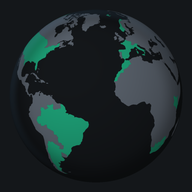
- Map: a turning globe and a flat map. Drag, pinch, and double tap on the flat map.
- Changes: tick a country to add it, tap again to remove it, with an undo for a moment after.
- Detail: log the cities you visited under each country.
- Share: Map, Flags, Wallpaper and Just added cards, in Story, Full screen and Square shapes.
- Privacy: only the friends you accept see your countries. A friend you tag on a trip sees that trip.
Checking what others charge? See free countries visited apps , is the Visited app free?, what the Places Been app costs, what Pin Traveler Premium costs, the Mark O'Travel review, the Countries Been app review and, for route videos, TravelBoast alternatives
Who it suits
People who like to see the world they have covered, and who want to show it to friends without sharing their life with strangers.
Getting started
Sign in with Apple, Google, or email, then tick the countries you have been to.