 Beenzy
Make a map of the countries you have visited
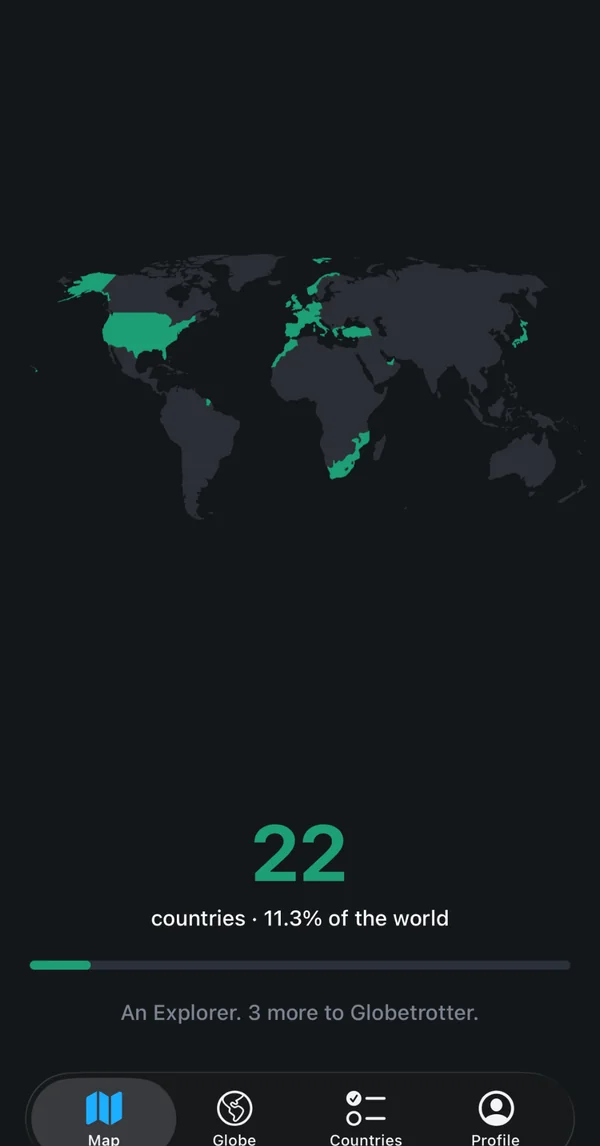
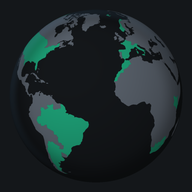
Tick off the countries you have been to. Watch them light up on a turning globe or a flat map, then share your map as a card.
No phone handy? Make your map in the browser, free, then save it to the app later.
Why make a countries-visited map
A countries-visited map shows at a glance how much of the world you have been to. Most people can guess how many countries they have seen, but not which ones, or which continents are still empty. A map makes that visible: the countries you have been to are coloured in, and the blank ones show where to go next.
beenzy keeps the map on your phone, so you can update it the moment you get back, and share it when someone asks where you have been.
How it works
- Open the globe or the flat map, or search for a country by name. You can also filter by continent. The list opens on popular places, so the ones most people visit come first.
- Tap a country to add it. Tap it again to remove it. An undo is offered for a moment after each change, so a wrong tap is easy to reverse.
- Log the cities you visited under each country, if you want more detail than a country tick.
- Your count and your share of the world update as you go.
Globe or flat map
The globe is a real turning sphere. Drag it sideways to turn it, and touch a country to see its name. Your visited countries light up on it, and one tap adds the country you are looking at.
The flat map works the other way: drag to move, pinch to zoom, and double tap to fit the part of the world you want to see. One tap switches between the globe and the map, so you can start on whichever suits the trip you are planning.
Cities under each country
A country tick is the quick version. If you want more, open a country and add the cities you have been to. You can start with country ticks and add cities later, whenever you remember them.
Your count and your level
Your map shows how many countries you have visited and what percentage of the world that is. Each continent has its own progress, so you can see which regions you have covered and which are still empty.
As your count grows you move up through traveller levels, all the way to Globetrotter.
Share your map as a card
Map
Every country you have been to, on one flat map.
Flags
A wall of flags from every place you have seen.
Wallpaper
Your map, made for the lock screen.
Just added
Celebrate the one country you just ticked off.
Cards come in Story, Full screen and Square shapes, with an optional transparent background.
Free, with no ads and no tracking
beenzy is free on iPhone and Android. There are no ads, no tracking and no analytics in the app.
Sign in with Apple, Google, or email to start. You can delete your account inside the app at any time.
Privacy and friends
Only the friends you accept can see your countries. You can remove or block anyone at any time, from their profile.
Nothing you tick is shared with advertisers, and beenzy does not sell information about you.
Looking for the Been map?
Two different apps are called "been": one by VINCI APPS (getbeen.app) and one by REBR AS (been.app). REBR's been.app also has a free web map maker that downloads a map image (checked 9 November 2026). If you want a map of where you have been with regions included and no ads, beenzy does that free on iPhone and Android, and the free country tracker works in your browser with no sign-up. How the two compare: Been app online and the Been map maker.
Common questions
Can I change a country later? Yes. Tap it again to remove it. The undo offered after each change works for a moment, so a wrong tap is easy to reverse.
Do I have to share my location? No. It is asked once, in setup, to find the city you live in. You can skip it and search for your city instead.
Who can see my map? Only the friends you accept. Anyone who finds you by username sees your name, username and profile photo, but not your countries.
Is it really free? Yes. beenzy is free on iPhone and Android, with no ads and no tracking.
Getting it
Download beenzy from the App Store or Google Play, sign in, and tick your first country.